


Saturday, August 25, 2007
Listen to Free Internet Radio with Screamer Radio
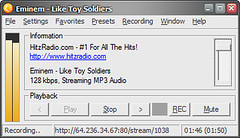
Screamer Radio is a lightweight application that lets you listen to over 3000 streaming Internet radio stations. Stations are conveniently divided by genre, country, language, and network so it's really easy to find something good to listen to.
When you first start it up, Screamer Radio will update its list of preset radio stations. To tune in to a station, just select one under the Presets menu.
To the delight of music pirates everywhere, you can also record songs off the streaming radio stations just by pressing the Rec button.
Try using the Single Track Mode, which will split tracks into separate files instead of recording one single continuous span of music. This only works if the station transmits track information. Otherwise you'll have to manually separate tracks.
Related: Streamripping: Recording Streaming MP3s
Labels: Technology


Change the Case of File Names with Recase
Want to convert your file names from all upper case to all lower case? Or vice versa?
Oftentimes, programs create default file names that are all uppercase or all lowercase, which might not be what you want. It's easiest to organize your files when they are all in the same case, which is where Recase comes in.
Recase is probably one of the simplest programs out there for helping you manage your file names.
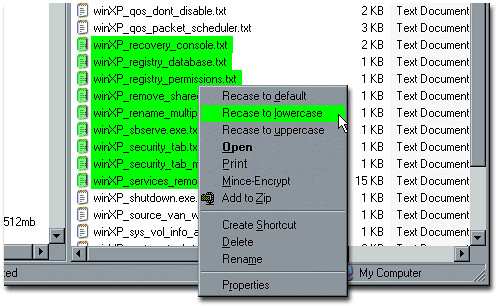
After you install Recase, you can access its functions directly from the right-click context menu. Highlight a group of files, then right-click on them, and select one of the options (default, uppercase, and lowercase) to change the case of the file names to what you desire.
Labels: Technology
Friday, August 24, 2007
Free Pingdom Web Site Monitoring for Firefox Users

In a seeming trend toward greater division between Internet Explorer and Firefox users, Pingdom is offering a free one-year subscription to its web site monitoring service exclusively for Firefox users.
If you're worried about whether your site or blog is working properly, this might be the service for you. The moment Pingdom detects downtime for a site you want it to monitor, it will send an email or SMS message telling you there's trouble.
For those running Internet Explorer (most of you) who don't want to install Firefox, you might want to check out IE7Pro, which includes a user agent switcher that can fool a website into thinking you're using Firefox.
The offer is only good for the next 13 hours so you might want to hurry.
Labels: Technology
Rotten Neighbor Helps You Rat Out Your Neighbors
As another entry into the contest for worst Web 2.0 website idea, Rotten Neighbor shows you whether the neighborhood you're thinking of moving into is filled with drug dealers, nosy neighbors, or other undesirable elements.
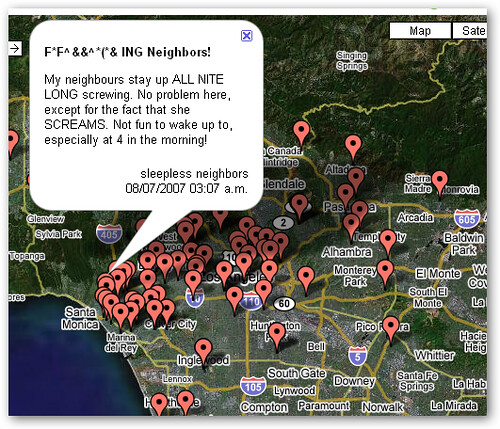
It's basically a Google Maps mashup where "bad neighbors" are represented by balloons on an interactive map. The idea is that you can locate bad neighbors as well as contribute a list of your own (i.e., rat out your neighbors).
It makes for some amusing fun since you can read juicy little vignettes about neighborhood quirks and disputes (see above). How this will ever become a reliable source of housing information remains to be seen.
Labels: Technology
See Yourself on the Cover of Cosmo Magazine
Following in the footsteps of Wired magazine, Cosmo is letting you become a Cosmo Cover Girl. You too can be on the cover of Cosmopolitan magazine, and you don't even have to be female.

Just upload a photo and create a few customized headlines ("His/Her #1 Sex Fantasy", etc.) to become world-famous.
Labels: Technology
Thursday, August 23, 2007
Watch First 17 Minutes of Prison Break Season 3 Online
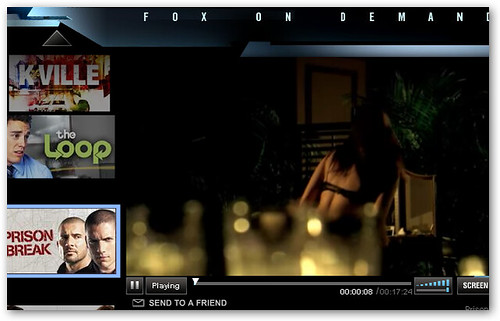
FOX is building buzz about the upcoming season of Prison Break by releasing the first 17 minutes for free online viewing.
The first episode of season 3 is titled "Orientacion" and sees the resourceful Michael Scofield dealing with imprisonment in a "hellish Panamanian prison".
Labels: Technology
Remove YouTube InVideo Overlay Ads with TubeStop
The angry YouTube mob can now do something about the object of their ire.
When I first wrote about TubeStop, it only seemed to be useful for stopping the auto-play of YouTube videos. It turns out that TubeStop also removes those annoying InVideo overlay ads that Google has been experimenting with. This might explain why some readers were having trouble viewing the ad in the sample video I linked to.
How does it work? TubeStop replaces the original video player with the embedded player, which doesn't serve ads.
You'll need to be running Firefox, Flock, or Netscape Navigator to use the TubeStop extension.
Labels: Technology
Wednesday, August 22, 2007
Vid2C: Watch Your Favorite TV Shows and Movies Online
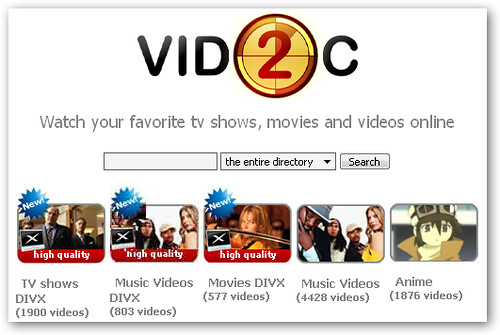
Vid2C joins the ranks of AllofTV, Alluc, and PeekVid in offering TV shows, movies, and other video content for convenient online viewing. The name seems to translate to "video to computer".
How you navigate the site isn't too blindingly obscure either. Videos are categorized into 10 sections, including TV shows, cartoons, movies, and celebs. Video connoisseurs will be pleased to find the high-quality videos separated from the regular masses into their own section.
At a rough count, there looks to be about 30,000 videos linked from Vid2C so you shouldn't have any problem finding original content to watch. The latest movies including The Bourne Ultimatum and Rush Hour 3 can be found on the site.
It's worth noting that like all of its sister sites, none of the copyrighted videos are actually hosted directly on the site. Only links to videos stored on third-party sites are posted.
Labels: Technology
Wyzo: A Web Browser for BitTorrent Newbies
Wyzo enters the crowded space of BitTorrent downloaders by combining a web browser with a torrent downloading client. It's basically Firefox plus the FireTorrent extension. Torrent downloading is seamlessly integrated into the download manager, and you can barely even tell the difference between downloading a regular file or using P2P.
The Wyzo download is deceptively small at about 500 KB. It turns out to be too good to be true; it's only the prelude to the download of the much larger 9 MB installer.
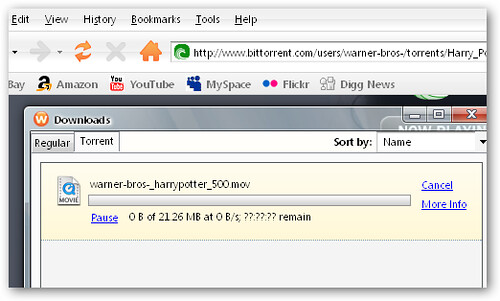
As far the browser goes, it's not too different from Firefox since they're both based on the same code. One thing to watch out for is that the Wyzo browser collects anonymous usage information by default. To disable this, you'll need to go to Tools > Downloads > Torrent and click on Options.
Ultimately, it's an open question whether anyone actually needs another browser-based option to download torrents. Internet Explorer users can easily use BitLet if they don't want to download a BitTorrent client, and Firefox users can just install FireTorrent to get the same feature set.
Does Wyzo really need a team of "over 10 talented international programmers and managers"?
Labels: Technology
BlogMusik Surrenders to Copyright Cops; Changes Name to Deezer
The renegade music streaming site, BlogMusik, is going the straight and narrow path after a brush with a French royalty collection agency.
By signing a deal with the SACEM, BlogMusik, or Deezer as it is now called, will be free and clear of all those pesky cease and desist letters and will have to share a portion of its revenues with the artists it infringes on.
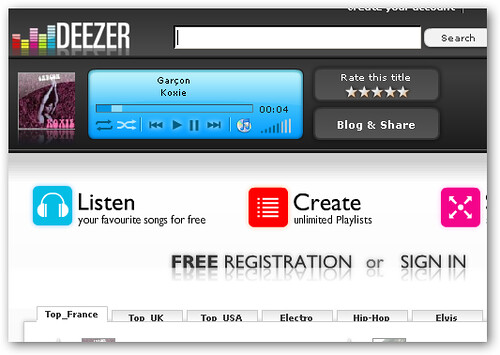
The interface hasn't changed much; it's still as slick as before using an all Flash design. You can still search for popular songs, albums, and artists and play your favorite music over the Internet. The only difference is that Deezer can now be included in the list of free online music sites.
It's worth noting that unlike personalized music sites Pandora and Last.fm, you can play songs on-demand from Deezer instead of just getting "similar" songs.
[via]
Labels: Technology
YouTube Sells Out; Debuts InVideo Advertisements
You knew it had to happen someday; Google has started to aggressively monetize its $1.6 billion video acquisition by introducing an intrusive brand of video advertising that takes over the bottom 20% of the video player.
This sort of ad is being called an InVideo ad, or a transparent overlay. TV watchers in the US will be familiar with them since almost all television networks feature small logos or other promotions that run across the bottom of the screen while a program is airing. Clearly, innovation isn't the watchword at the Googleplex these days.

Only select videos will be showing ads since Google doesn't want to expose advertisers to unauthorized copyright content. For now, only professional content uploaded by the likes of Warner Music and user-produced content from groups like Lonelygirl15 are "blessed" with these ads. Here's a sample video.
A gold stripe in the progress bar (see above) indicates if and when a video ad will play (about 15 seconds into a video). If you click on the ad, it will expand to fill the video player and may turn out to be a video itself or just a regular display ad.
By the way, these ads don't come cheap. They cost $20 a CPM, or $20 per thousand impressions. This could eventually net Google an estimated $34 million in revenue a month if it rolls out to include all YouTube videos.
[via]
Labels: Technology
Tuesday, August 21, 2007
SuprNova.org Resurrected: BitTorrent Megasite Resumes Copyright Infringement
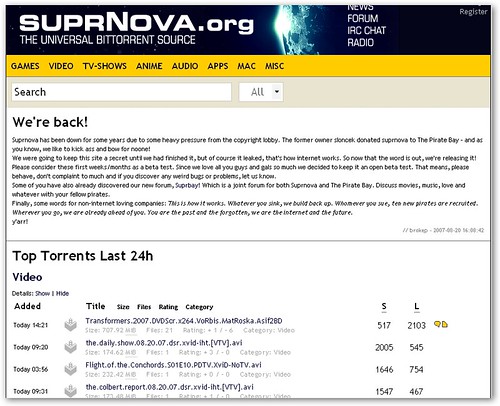
SuprNova.org was shut down in late 2004 after legal threats over facilitating copyright infringement by users. But that unhappy ending to the BitTorrent megasite's story has been rewritten.
The Pirate Bay has revived Suprnova back to its former glory with a similar site design and a plethora of torrents to download. Over 26,000 trackers and one million torrent files are being tracked by the "universal torrent source". A neat feature they've implemented lets you download torrents using your browser (IE or Firefox) courtesy of BitLet, the Java-based BitTorrent client.
Right now, the top torrents include The Colbert Report, Transformers, and a David Letterman interview of Hayden Panettiere (Claire on Heroes).
Looks like Suprnova is back to its old tricks again. Only this time, legal threats aren't likely to be a problem.
Labels: Technology
Play Flash Animations (SWF Files) on Your Computer
Shockwave Flash animations, or SWF files, are used by many sites (especially movie sites) to lend an element of interactivity. They are harder to save than plain HTML files, but once you do, how do you play them?
The hard way to get a Flash animation to play after you save it to your computer is to create a new HTML file, embed your SWF file in it, and open it in your web browser.
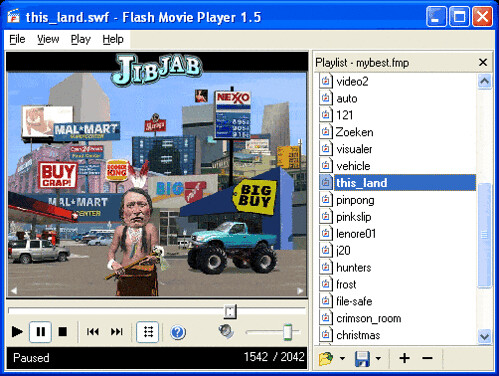
A much easier way is to use Flash Movie Player, which is created specifically to make life easier when dealing with SWF files. The interface is eerily similar to the classic Windows Media Player so you shouldn't have any trouble using it.
But you can do more than just play animations with Flash Movie Player. You can also use it take snapshots, search through your web browser (IE, Firefox, Opera) cache for previously viewed animations, and set up SWF files as your screensaver.
Labels: Technology
Firefox Targets College Kids with Campus Edition
 The campaign to spread Firefox to the four corners of the world has hit upon a new target: college kids.
The "Campus Edition" of the Firefox browser will come bundled with three student oriented (?) extensions: FoxyTunes (a music player controller for that massive collection of pirated MP3s), Zotero (an online note-taking and research tool for plagiarizing your essay on postmodernism), and StumbleUpon (for random web surfing to distract you from your studies).
Look for it to be released tomorrow, Wednesday, August 22, 2007.
After the dubious eBay edition of Firefox and now the Campus Edition, what's next? The Canine Edition for dogs who love to surf the web?
[via]
Labels: Technology
Capture Web Page Snapshots (Thumbnail Images) in Real Time

WebThumb is a simple website built on PHP and AJAX that lets you create thumbnail images of web pages. Just enter a URL and select a screen resolution (1024x768, 800x600, 600x480) to generate your thumbnail.
A neat feature of the website is that you can view thumbnails in real time as they are created along with details like URLs in queue and number of generated thumbnails updated on-the-fly. All courtesy of some neat AJAX coding.
Labels: Technology
Add Quick Comments and Related Posts to Your Blog (Blogger, WordPress, TypePad)

I was intrigued by Clickcomments when it was first released because it promised to let blog readers leave comments more easily and also bypassed the traditional star ratings system that blogs have usually used for quick reader feedback.
Instead, Clickcomments lets readers express themselves through one click via small icons that represent opinions like cool, fun, insightful, and great find. You can add these icons to your blog by inserting a small scrap of Javascript code into your blog template.
The new and improved version of ClickComments lets you customize the icon set and also recommends other related blog posts to your readers. For blog platforms like Blogger that don't have a related posts widget, this can be a great way to increase the stickiness of your blog.
Currently, platforms including WordPress, Blogger, MovableType, and TypePad are supported.
Labels: Technology
Sunday, August 19, 2007
Encrypt BitTorrent Traffic to Avoid ISP Bandwidth Throttling and Traffic Shaping
P2P web traffic (downloading TV shows, movies, and pirated software) is estimated to make up one-third of all Internet traffic. The massive popularity of peer-to-peer file sharing (especially over BitTorrent) has caused many ISPs to try to limit the amount of bandwidth that P2P applications can use. The practice has several names, including traffic throttling and traffic shaping.
For example, if your ISP has promised you a 5mbps Internet connection, and you're only getting a measly 50kbps, you might be experiencing traffic throttling.
A simple way to bypass traffic shaping efforts is to encrypt your BitTorrent stream. This makes it harder for your ISP to tell you are using BitTorrent. Popular clients like Azureus, µTorrent, and BitComet all support BitTorrent protocol encryption.
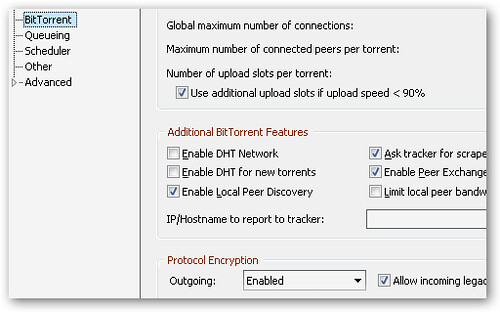
In µTorrent (my favorite client), you can find the setting under Options -> Preferences -> BitTorrent. Under Protocol Encryption, select Enabled. If that doesn't work, try Forced. Instructions for Azureus and BitComent can be found here.
If your ISP is using more sophisticated ways to throttle your traffic, you will need to read about using VPNs to avoid ISP bandwidth throttling.
Labels: Technology
Crop or Resize Images Easily using Your Web Browser
Online image editors are extremely common nowadays, but many are more complicated than they need to be.
A common task for bloggers, PowerPoint presentation creators, and tutorial builders is taking multiple screenshots and cropping them to the proper size. It's a simple problem, but there hasn't been a simple solution until now.
EasyCropper does just what you'd expect: it lets you crop images, and that's all it does.
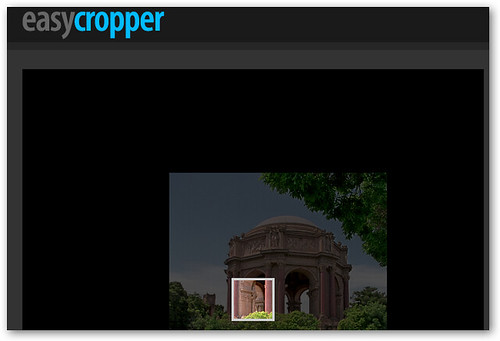
First select an image from your computer that you want to crop, and then choose the final dimensions (height and width) that you want to crop the image into. Click continue, and you'll see a small box superimposed on your image.
Just drag your image until the section that you want in your final image is framed by the box, and click Crop It! Finally download your simply cropped image.
Labels: Technology


