So here we go:
1. Login to your MySpace account at MySpace.com.
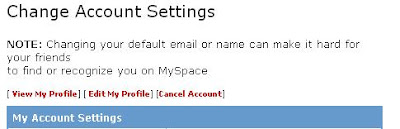
2. Click on Account Settings.
3. Now click on Cancel Account.
4. Hit that big red Cancel My Account button. This means you want to delete everything in your MySpace account including photos and friendship network information.
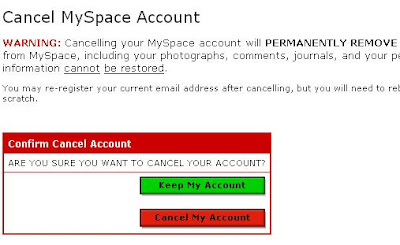
5. You'll be asked to comment on why you're canceling. Just ignore that and hit the big red button again.
6. Now check your email for the cancellation request and click on the link in the email. If you have a last-minute change of heart, just ignore the email and don't do anything.
7. For the third time, hit the big red button (you know the one).

You've finally escaped from Rupert Murdoch's MySpace. In 48 hours, your MySpace account should be deleted. Now go watch some FOX.
No comments:
Post a Comment