If you've been using IE7, then you might have noticed an option to open multiple homepages when you first start Internet Explorer. You can do the same thing with Firefox.
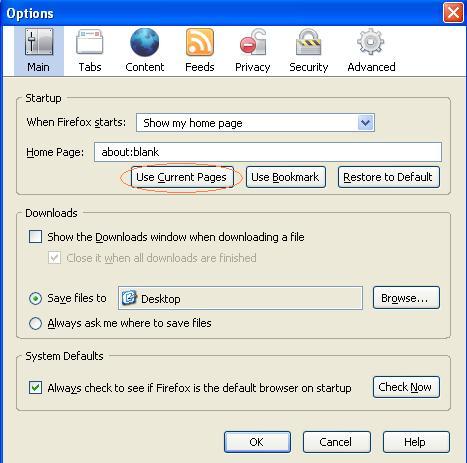
In Firefox 2, open up the pages you want to set. Then go to Tools->Options->Main and click on Use current pages. In Firefox 1.5, go to Tools->Options->General and click on Use current pages.
No comments:
Post a Comment